Maps for Math E6B · Flight computer
E6B flight computer
A free online flight computer for student pilots: wind triangle, density altitude, true airspeed, fuel, weight and balance, and descent planning. Every tool shows the math behind the answer, so you learn the flight computer instead of just reading it.
Tools
Density altitude
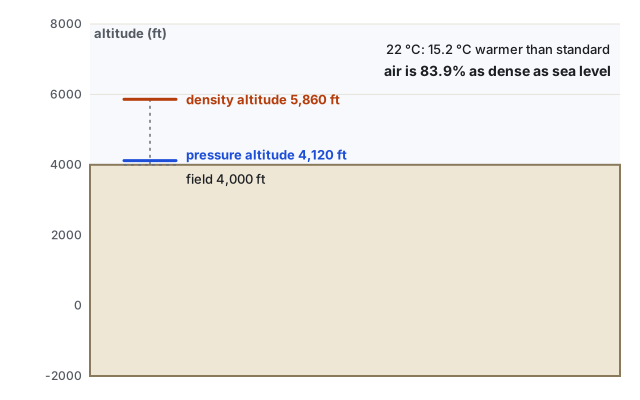
Density altitude: how high the airplane thinks it is
Hot, high, and low pressure thin the air. Density altitude says how much, in feet.
True airspeed
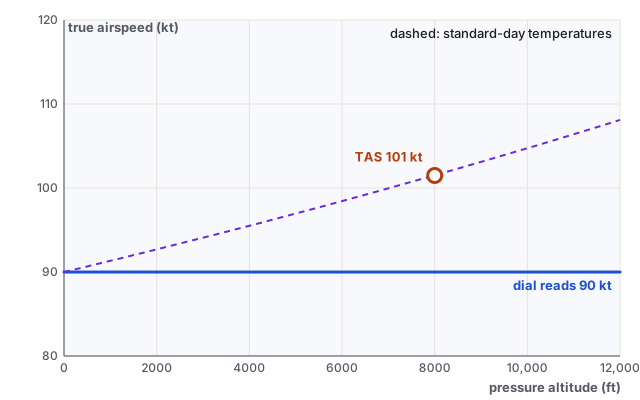
True airspeed: why you’re faster than the dial says
The airspeed indicator feels air pressure, not speed. Thin air at altitude makes true airspeed higher.
Wind triangle
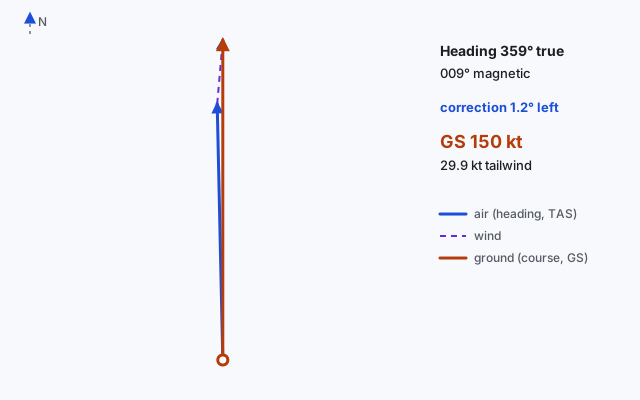
Wind triangle: heading and groundspeed
Point the nose into the wind just enough to track your course. Three vectors, one triangle.
Time & fuel
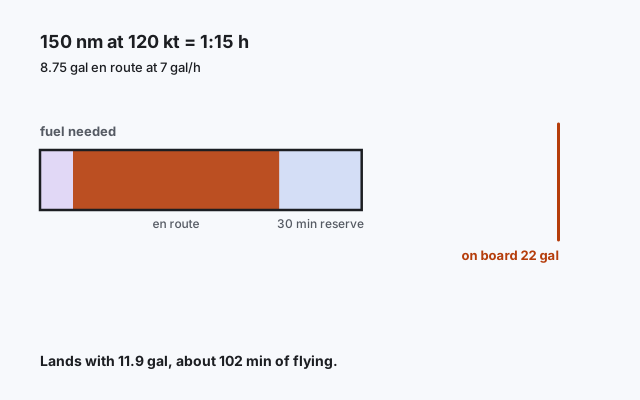
Time and fuel: will it make it with a reserve?
Distance over groundspeed gives time; time times burn gives fuel. Then leave something in the tanks.
Weight & balance
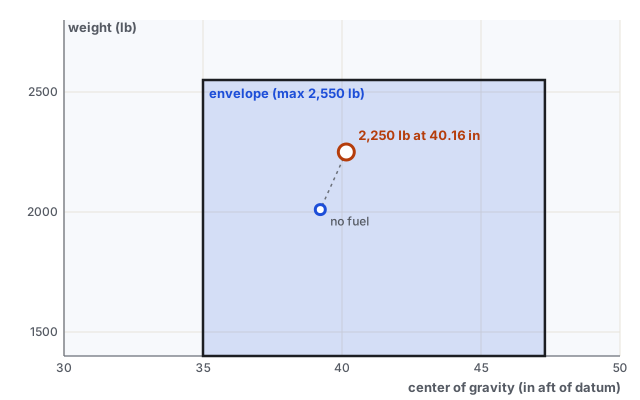
Weight and balance: where the center of gravity lands
The CG is a weighted average. Load people, bags, and fuel, and watch the dot move in the envelope.
Crosswind
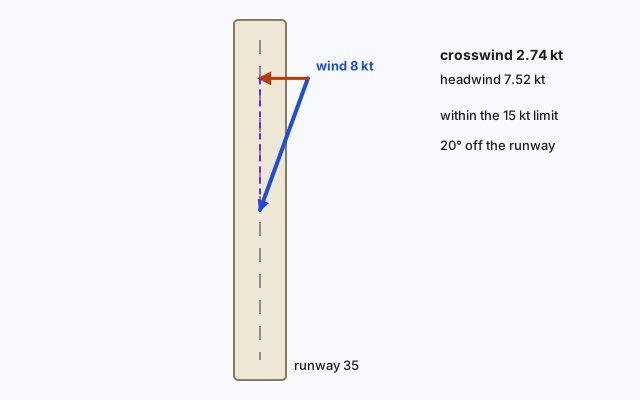
Crosswind landing: splitting the wind into two parts
Pilots break the wind into “along the runway” and “across it.” That’s vector math at 60 knots.
Descent
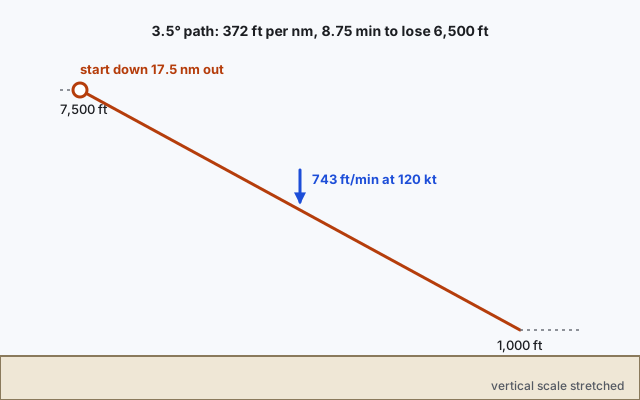
Descent planning: when to start down
A 3° path drops about 318 ft every nautical mile. Tangent turns that into a distance and a descent rate.
A cross-country, step by step
- Check the airDensity altitude
- Find your real speedTrue airspeed
- Heading and groundspeedWind triangle
- Plan the legTime & fuel
- Load the airplaneWeight & balance
- Check the runwayCrosswind
- Plan the arrivalDescent
Each result carries into the next: density altitude sets true airspeed, true airspeed feeds the wind triangle, groundspeed sets time and fuel, and fuel goes into weight and balance.
Questions
Is this an approved E6B or flight computer?
No. It is a free study and training aid for learning how the E6B works and checking your own calculations. It is not certified or approved, and it must not be used for navigation or in flight.
Can I use it on a knowledge test or checkride?
Use only the calculators your testing center or examiner allows. Learn the manual E6B or an approved electronic flight computer for the test. This site is for practice.
How accurate is it?
The math follows the standard atmosphere and the usual flight-computer formulas, but it simplifies. For example, it leaves out humidity, compressibility above about 200 kt, and your aircraft’s exact envelope shape. Always use your POH/AFM and approved sources for real numbers.
Does it cost anything?
No. Every tool is free, needs no account, and works on a phone.